A free MacroFactor alternative for nutrition and workouts
Looking for a free MacroFactor alternative? You can cover the main jobs with three apps: MacroCodex for adaptive calorie targets and progress tracking, CalorieCodex for food logging, and Symbiote for workout programming. All three are currently available without a subscription on Android.
This is a mix of separate tools, not a one-for-one copy of MacroFactor. If you want a single established nutrition app with an extensive food database, micronutrient tracking, and integrated coaching, MacroFactor may suit you better. If your priority is tracking calories, estimating your maintenance calories, and following a training program without paying, start here.
MacroFactor vs. the free alternative: quick comparison
| What you need | MacroFactor | Free alternative |
|---|---|---|
| Food and macro logging | MacroFactor Nutrition | CalorieCodex |
| Photo-based food logging | MacroFactor Nutrition's AI food logging | CalorieCodex |
| Adaptive maintenance calorie estimate | MacroFactor Nutrition's expenditure estimate | MacroCodex |
| Weight and progress tracking | MacroFactor Nutrition | MacroCodex |
| Workout plans and training log | MacroFactor Workouts | Symbiote |
| Subscription | Individual app or bundle plans | No subscription for these three apps |
Price as of September 2026: MacroFactor lists each app at $71.99/year in the US, or $89.99/year for its Nutrition + Workouts bundle. It also offers monthly and six-month plans; taxes and local pricing may differ. Existing Nutrition subscribers may qualify for temporary Workouts access, so check MacroFactor's current subscription details before comparing costs.
For every plan and trial detail, see how much MacroFactor costs. If training is your main reason for comparing apps, see MacroFactor Workouts vs. Symbiote.
What does MacroFactor do?
MacroFactor Nutrition combines a food log with calorie and macro targets. Its expenditure algorithm uses your logged intake and weight trend to update an estimate of how many calories you burn. It also supports features such as micronutrient tracking and AI-assisted meal logging. MacroFactor explains how its expenditure estimate works.
Searching for a Jeff Nippard TDEE calculator? Our Jeff Nippard and TDEE guide explains his role at MacroFactor, what an initial calculator can tell you, and how an adaptive estimate differs.
MacroFactor Workouts is a separate training app for workout plans and logging. The two apps can be purchased individually or as a bundle, but MacroFactor says they currently operate as separate apps.
How to replace MacroFactor's main features for free
1. Estimate maintenance calories with MacroCodex
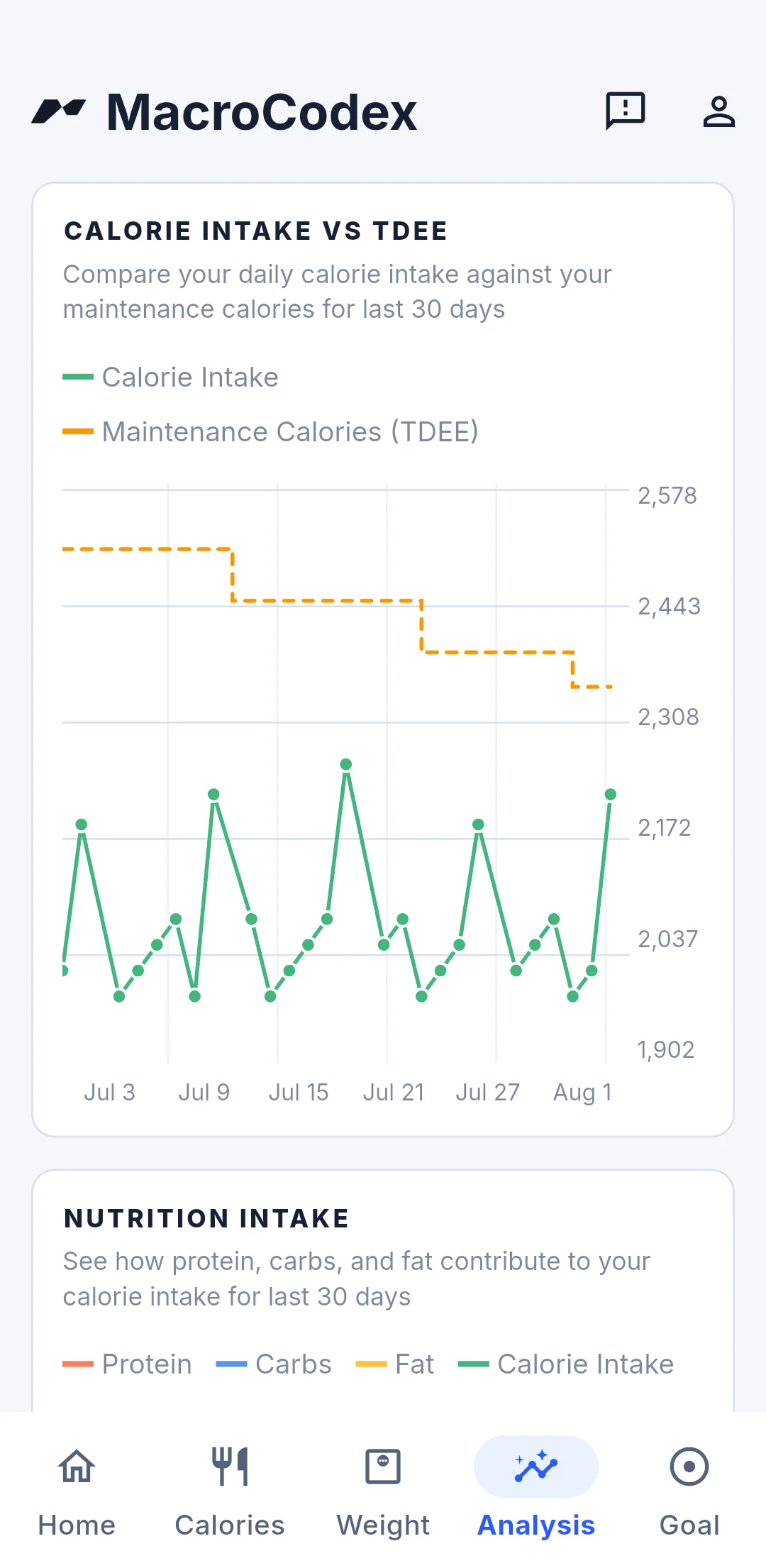
Use MacroCodex to log your weight and calorie intake and follow changes in your estimated total daily energy expenditure (TDEE). That estimate can help you set a calorie target for losing, gaining, or maintaining weight. Read our guide to adaptive TDEE for how the estimate responds to your data.
An adaptive estimate still depends on the quality and consistency of your inputs. A few days of logs cannot establish a reliable maintenance level; watch the trend over several weeks and adjust based on your actual progress.
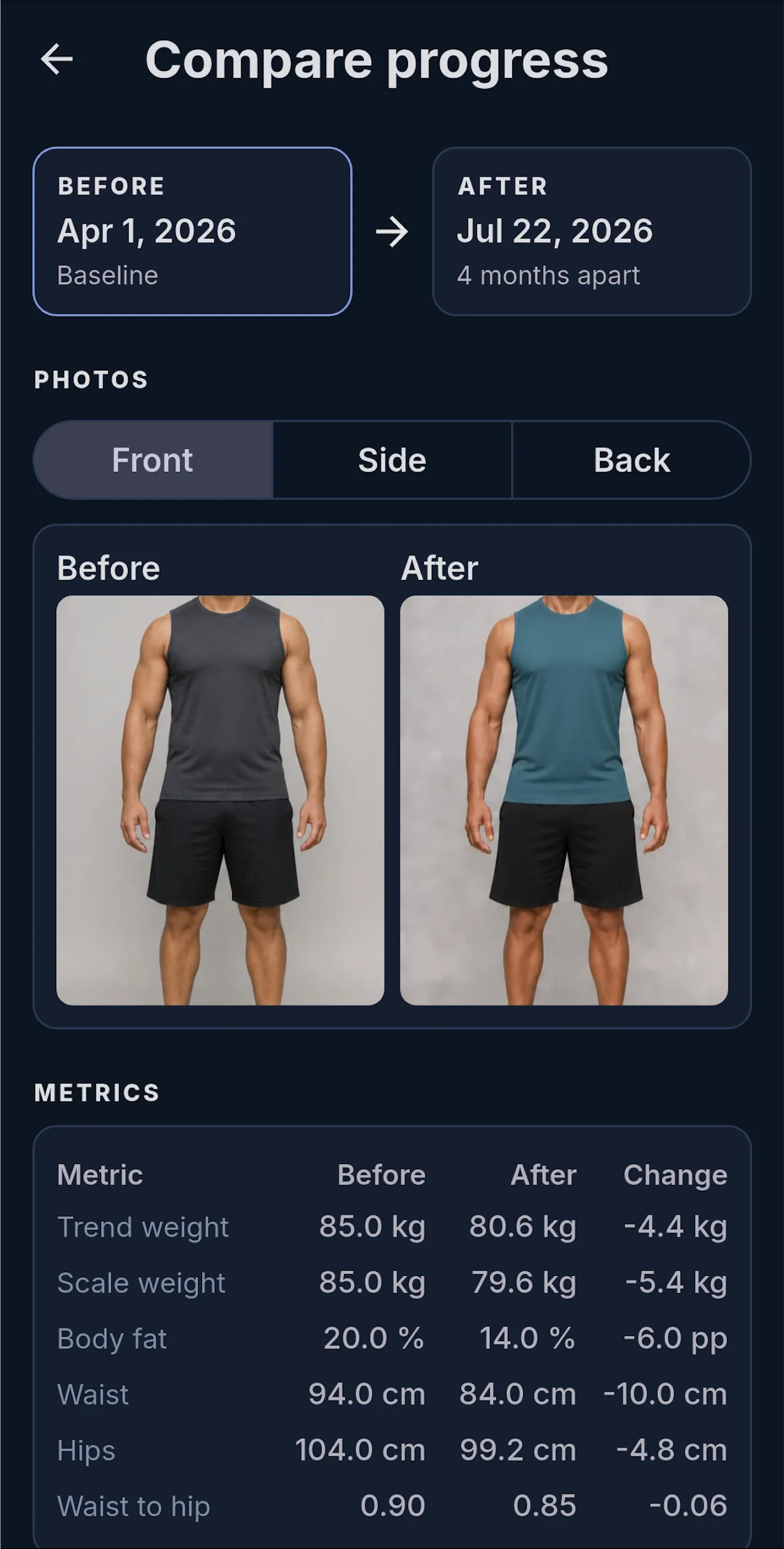
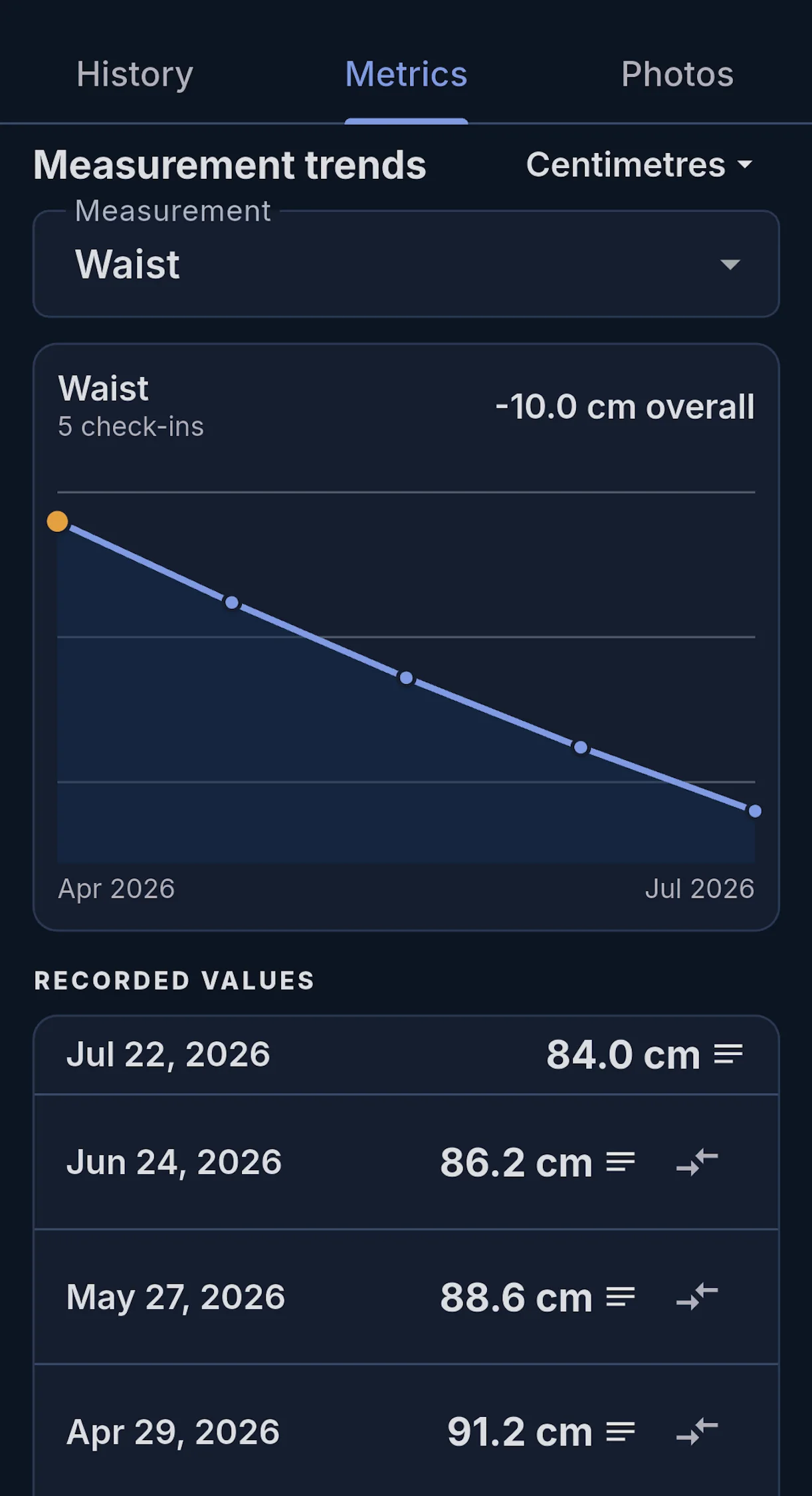
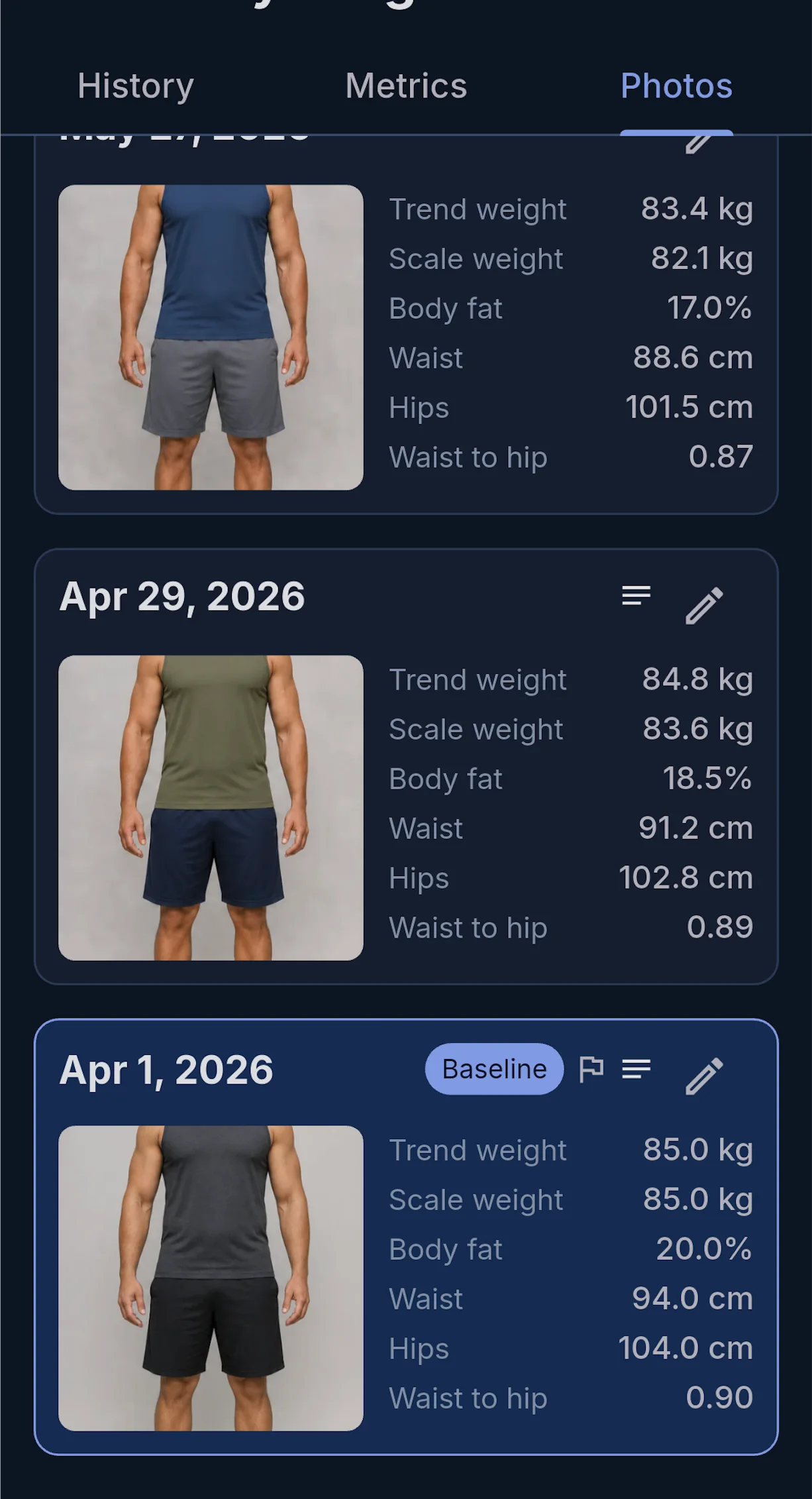
You can also record body measurements and progress photos alongside scale weight, which helps you judge changes that a single weigh-in may miss.
2. Log food with CalorieCodex
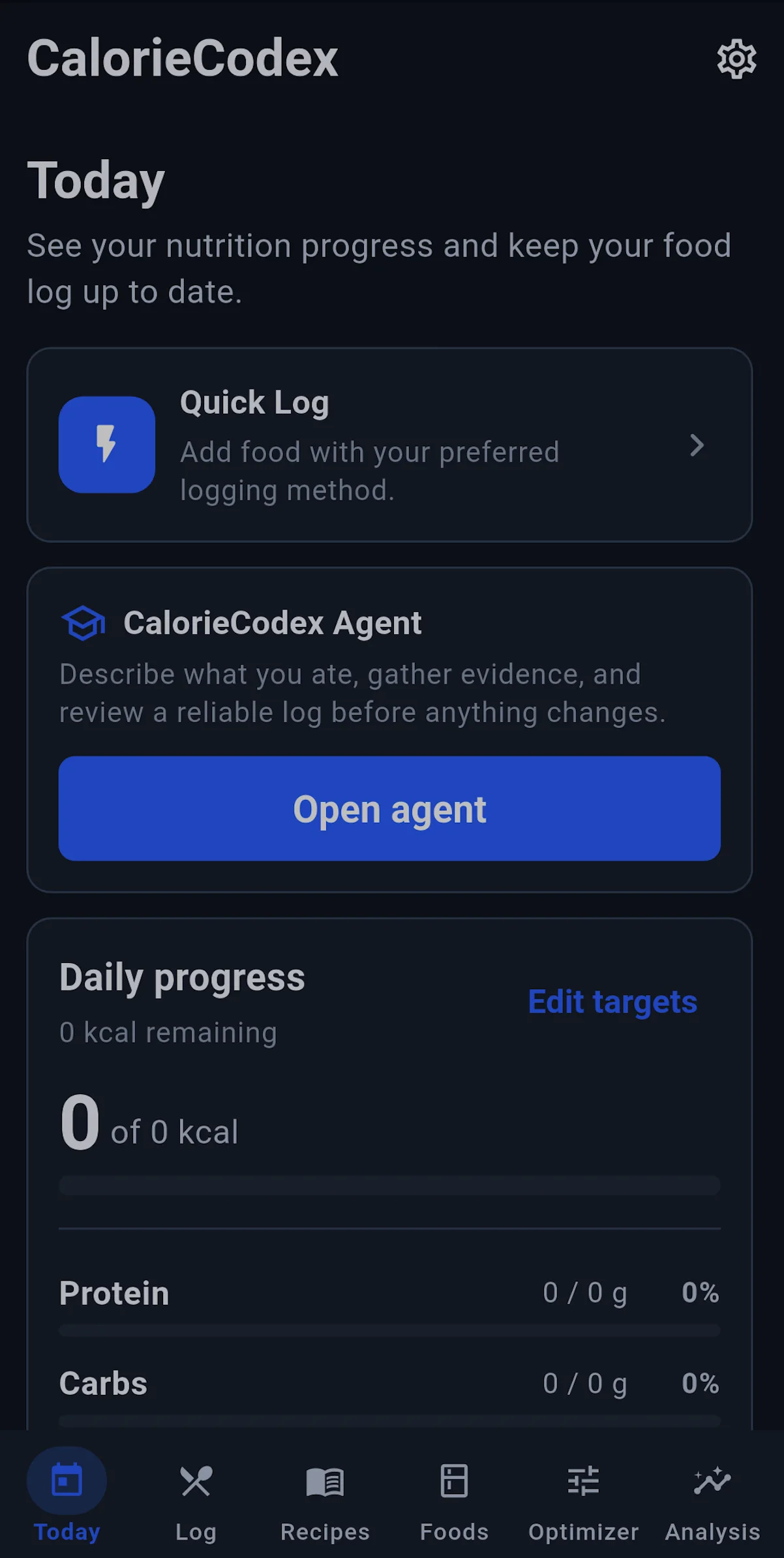
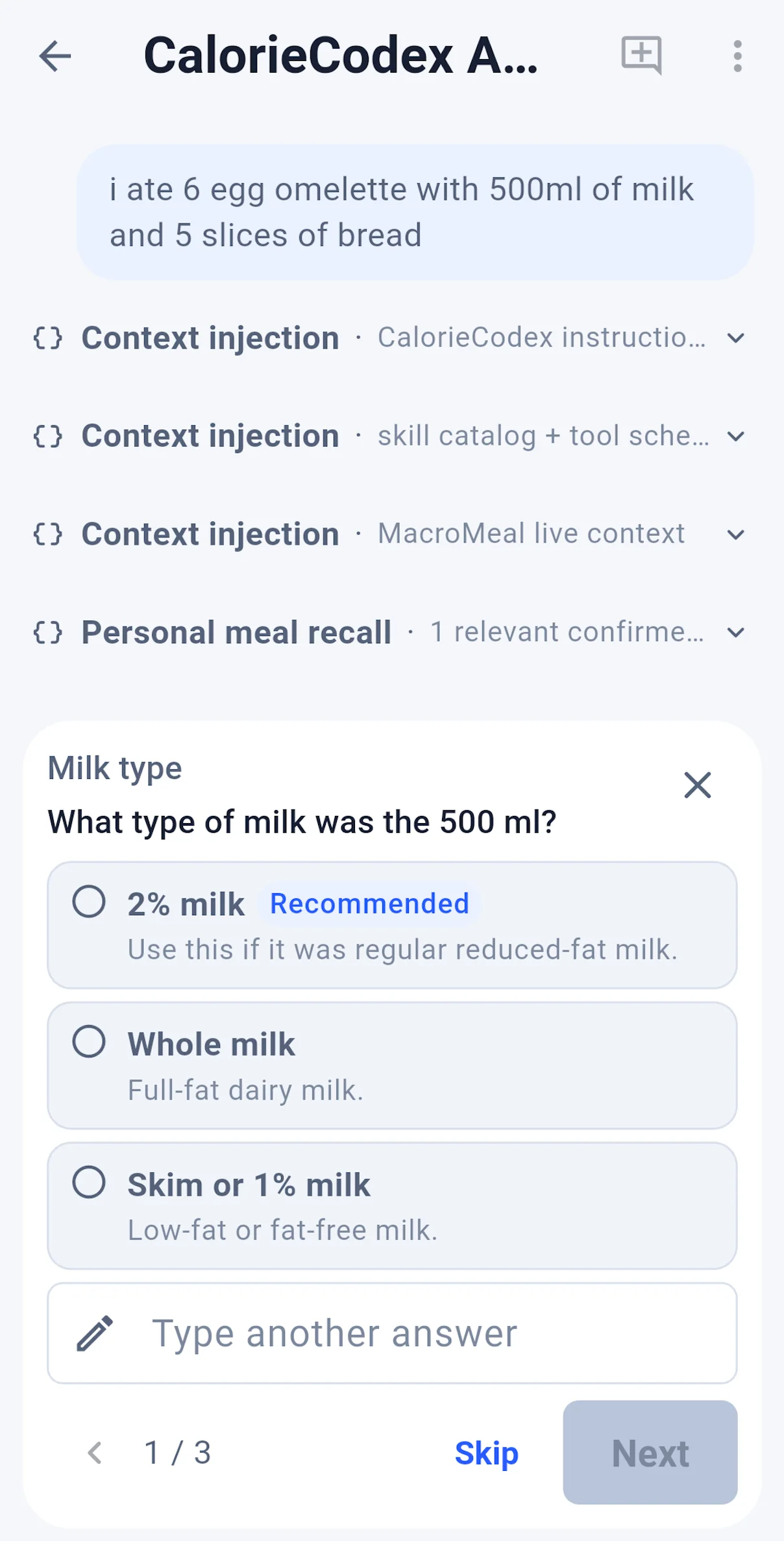
CalorieCodex on Google Play lets you log meals using photos, voice, or chat. If you prefer to enter foods manually, use the method that gives you the most consistent record. See our calorie tracking guide for practical ways to estimate portions and handle meals you did not prepare.
| What you can do | In practice |
|---|---|
| Log food and targets | Record meals, calories, protein, carbs, fat, and fiber against daily targets. |
| Find or add foods | Search the food library, scan a barcode, photograph a nutrition label, or enter a food manually. |
| Use AI-assisted logging | Estimate food from a photo, text, voice transcript, or agent chat, then review the result before saving. AI requires a connected provider. |
| Reuse meals | Build recipes, import a recipe from a URL or photos, and save meal templates for faster logging. |
| Plan around targets | Use the Optimizer to find portions of saved foods or recipes that fit calorie and macro targets. |
| Review intake | See daily and date-range analysis, including calories and macros. |
| Keep your data | Export or import app data as JSON; optional Health Connect sync can write completed daily nutrition totals on supported Android devices. |
The app itself has no subscription or ads. AI features require provider setup, such as connecting a supported account or supplying an API key; a provider may impose its own usage limits or charges. Manual logging, saved foods, and recipes do not depend on AI setup.
Photo estimates are approximate. A picture may not reveal added oil, sauces, or portion weight. Review the suggested foods and quantities before saving them, especially if you need a precise calorie or macro total.
3. Follow a workout plan with Symbiote
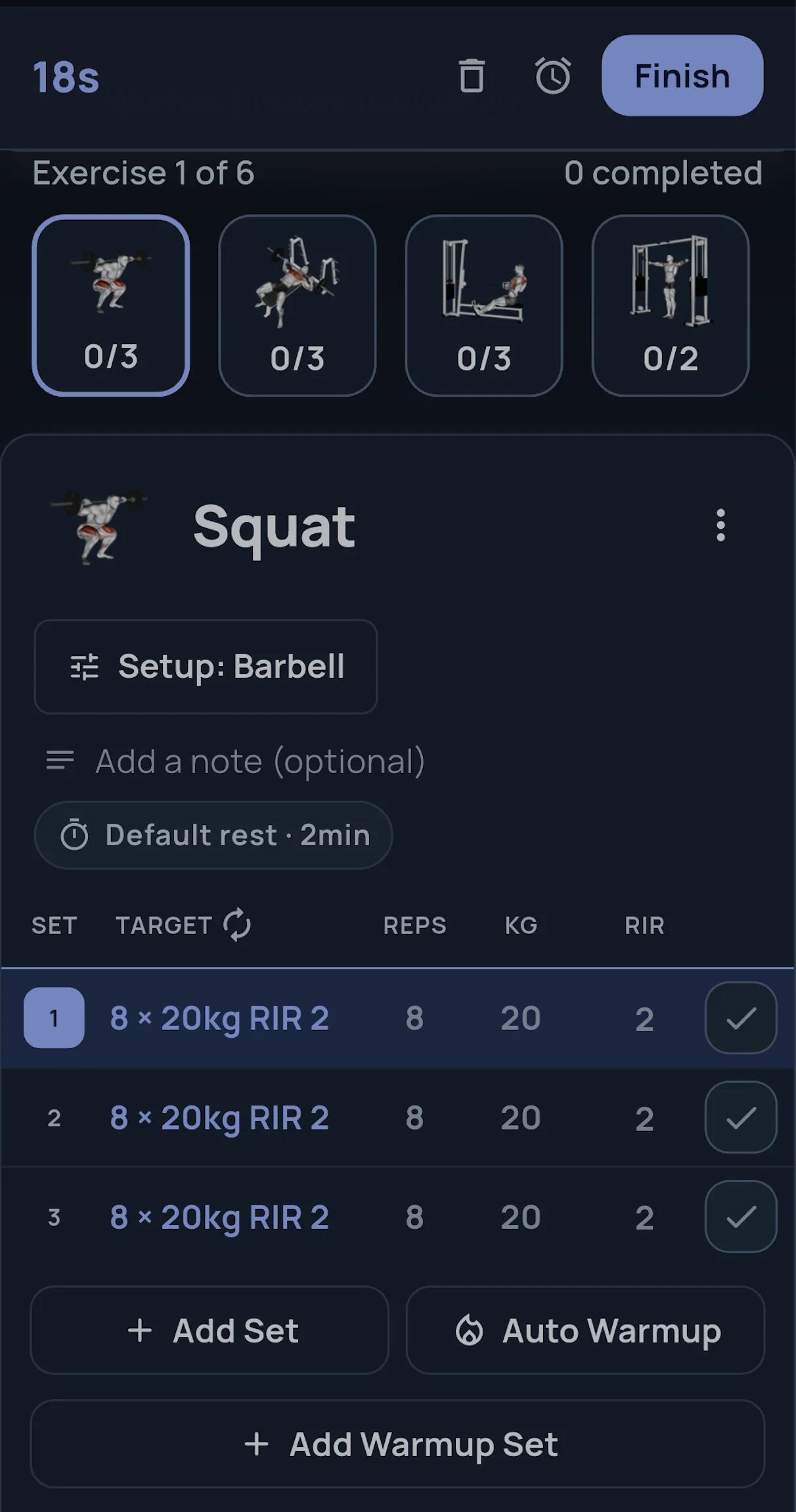
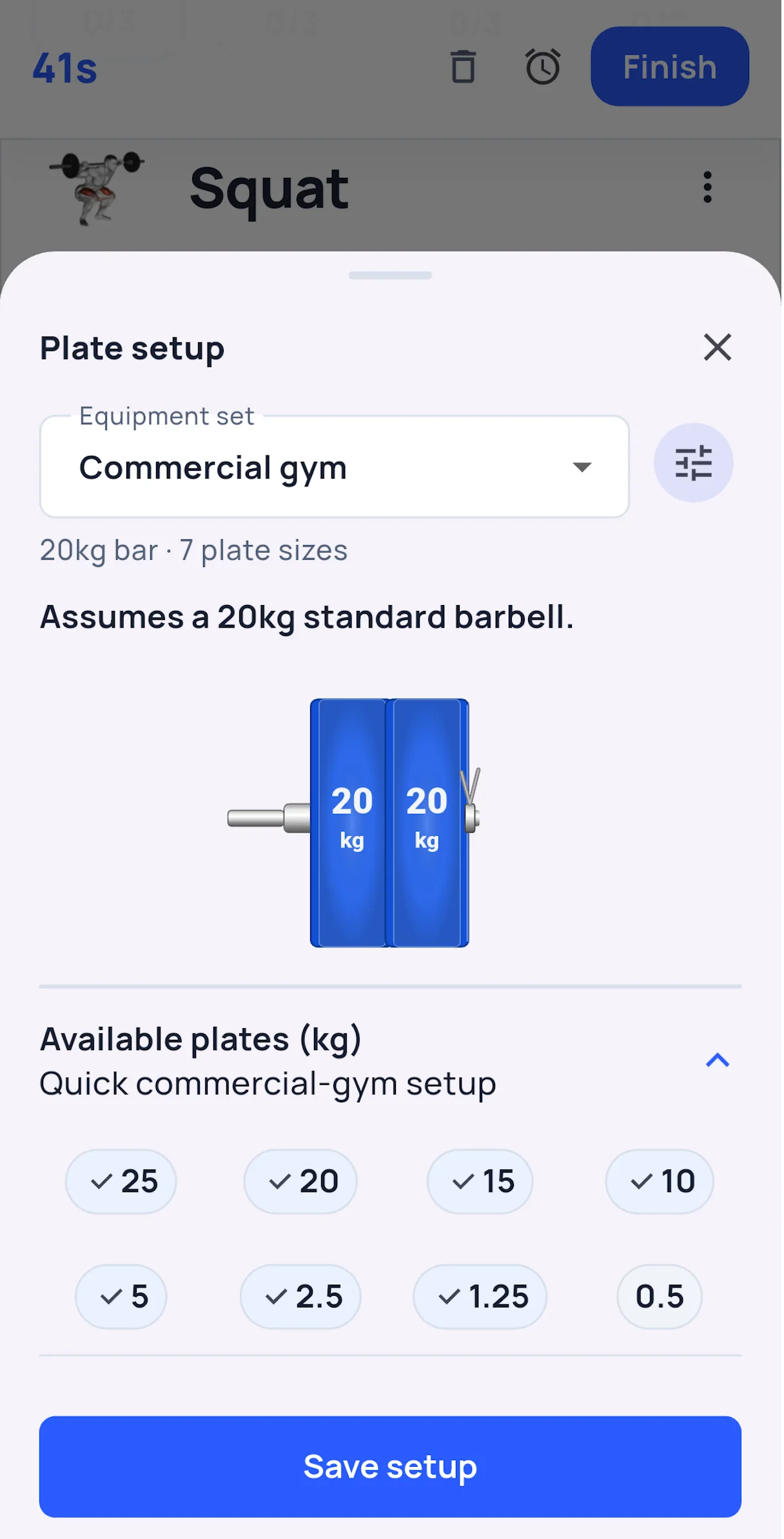
Symbiote on Google Play provides a training log and programmable workouts. You can start with a Symbiote training program or build your own. Track exercises, sets, reps, and load so you can see whether your training is progressing.
Which option should you choose?
Choose the free setup if you use Android, want to avoid a subscription, and are comfortable using a separate app for each job. Choose MacroFactor if its nutrition database, micronutrient features, coaching workflow, or available platforms are more important to you than the subscription cost. If you only need nutrition tracking, compare MacroFactor Nutrition with MacroCodex plus CalorieCodex; you do not need a workout app to make that comparison.
For a closer look at the two adaptive tracking apps, read MacroCodex vs. MacroFactor.
If you are also considering a popular food logger, read MacroFactor vs. MyFitnessPal, including its free tier, ads, and Premium features.
Frequently asked questions
Is there a completely free MacroFactor alternative?
There is no exact free copy of every MacroFactor feature. On Android, MacroCodex, CalorieCodex, and Symbiote together cover adaptive calorie estimates, food logging, progress tracking, and workout logging without a subscription.
Is MacroFactor free?
No. MacroFactor offers a free trial, but ongoing use requires a subscription. See the current MacroFactor pricing breakdown.
Can a photo accurately tell me a meal's calories?
It can provide a starting estimate, but hidden ingredients and portion size can change the true total substantially. Edit the result using known ingredients or measured amounts when possible.
Do I need all three apps?
No. Use MacroCodex for calorie targets and progress, CalorieCodex if you want a food log, and Symbiote if you want a training log. Pick only the tools that solve your current need.